How Are Playing Cards Made at AGR?
- AGR GAMES

- 5 hours ago
- 5 min read
If you are thinking about creating your own deck of cards, it is very likely that you will have questions from the very beginning: what size to choose, how to prepare the files, what bleed is, or why the number of cards is so important.
And that is completely normal. Many of the projects we receive start from scratch, even from people with no design experience.
That is why we have prepared this guide: so you can understand, step by step, how a deck of cards is made at AGR and what you need to have ready before sending us your files. The idea is that, whenever you have questions, you can come back here and find the answer clearly.
It All Starts Before Designing
Before opening any design software, there is one fundamental step: defining what your deck will be like. Designing small cards is not the same as designing large ones, just as a 20-card deck is very different from a 200-card deck. Likewise, it makes a difference whether all cards share the same back design or whether each card is unique.
These decisions directly affect the entire process, so it is important to define aspects such as:
The card size (poker size, bridge size, tarot size, or a custom format).
The total number of cards.
Whether the back design will be the same for all cards or not.
Once these points are clear, you can start designing.

Design: Where Most Questions Begin
This is where we receive the most questions, and also where the most mistakes are made if some basic concepts are not well understood.
You can design your cards using tools such as Adobe Illustrator, Photoshop, or similar software like Affinity. However, beyond the software itself, what really matters is how you prepare the files.
It is important to keep in mind that not all programs are designed for professional printing. Tools such as Canva or images generated directly with artificial intelligence may seem like a quick solution, but they often create issues related to quality, resolution, color management, or file preparation.
Whenever possible, we recommend working with more advanced design software and preparing the files manually, as this gives you greater control over the final result and helps avoid production errors.
Basic File Requirements
For us to work correctly with your files, they must meet the following requirements:
PDF format (PDF/X-3 recommended)
300 dpi resolution
CMYK color mode (not RGB)
Minimum 3 mm bleed
Minimum 3 mm safe margin
These requirements ensure that what you see on screen can be printed correctly.
What Is Bleed?
Bleed is an extra area added around the design. It consists of extending backgrounds or images beyond the final edge of the card.
Why is this necessary? Because when cards are printed, the cutting process is never 100% precise. There can always be slight variations. Without this extra margin, unwanted white edges could appear.
What Is the Safe Margin?
The safe margin is the inner area where all important elements (text, icons, numbers, etc.) should be placed.
Printing and die-cutting machines have tolerances, so small deviations may occur during production. The more space you leave between important elements and the edge, the less noticeable these deviations will be. If elements are placed too close to the border, any misalignment can become obvious. That is why we require a 3 mm safe margin, as any deviation is much less noticeable at that distance.
How to Send Us Your Files
Once all your cards are designed, they need to be organized correctly before being sent to us.
We require two main files:
Fronts: A PDF containing all card fronts, one card per page.
Backs: A PDF containing all card backs, one card per page. If all backs are identical, a single page is sufficient.
It is very important that the order of the backs matches the order of the fronts exactly.
What Happens When We Receive Your Files
Once we receive your files, we review every detail to ensure everything meets the requirements:
That the images have sufficient quality.
That margins and bleed are correct.
And many other aspects to ensure your game is manufactured without issues.
If we detect any problems, we will let you know and help you resolve them.
How the Files Are Prepared for Printing
This is one of the least-known parts of the process. Cards are not printed one by one; instead, they are arranged on large printing sheets. This allows us to optimize materials and production processes.
The Proof Before Printing
Before manufacturing begins, we send you a digital proof (eProof) so you can review everything.
This step is crucial because it is the last opportunity to catch any errors. That is why we always recommend reviewing it carefully:
Text content
Front-to-back matching
Visual details
Once you approve the proof, the files move directly into production.
Production
This is where your deck stops being a digital file and becomes a real product.
The process includes:
Printing the sheets
Die-cutting the cards
Banding and final assembly
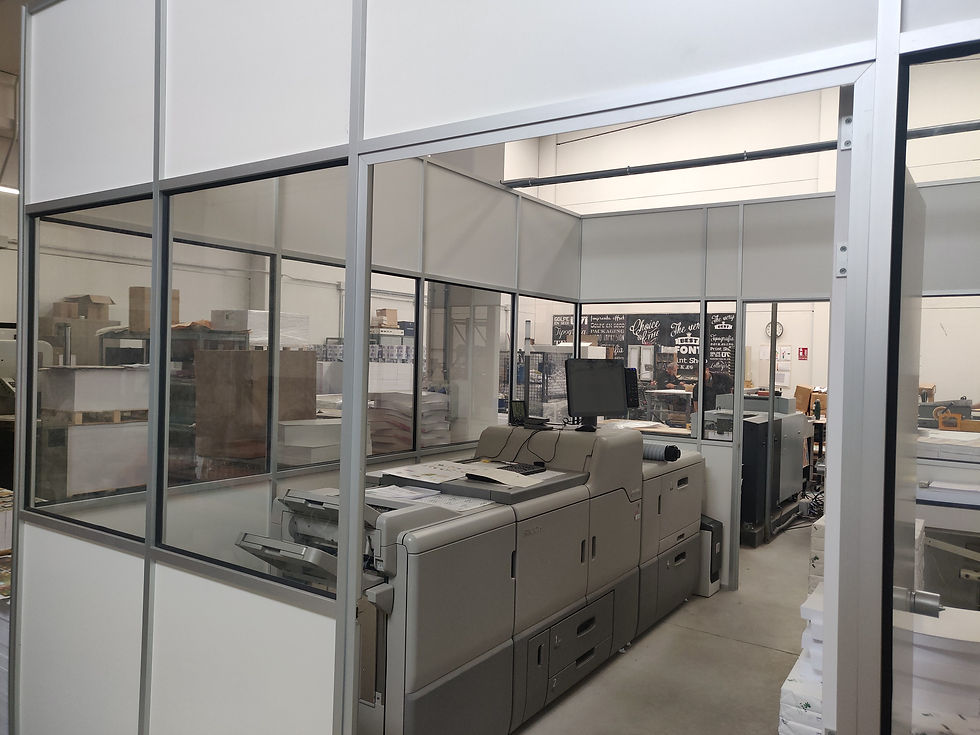
Printing the Sheets
Once the files have been reviewed and approved, the printing process begins. Printing can be carried out using either digital printing technology or offset printing.
In the case of digital printing, the files are sent directly to the printing machine. For offset printing, printing plates must first be produced and will then be used throughout the print run.
Before production starts, the machine is calibrated to ensure that the printed colors match the original files as closely as possible. This is why it is essential to prepare files in CMYK color mode. RGB colors, commonly used on screens, cannot be reproduced accurately in print and often appear duller, darker, or less saturated.
Die-Cutting the Cards
Once the sheets have been printed, the die-cutting process begins. The sheets are fed into a die-cutting machine, which performs the cuts required to create the final card shape.
As the cards are die-cut, they are collected and organized either manually or automatically. Different decks are kept separate throughout the process to avoid mixing and to facilitate subsequent handling and packaging.

Banding and Final Preparation
Once die-cutting is complete, the cards move to the banding area. At this stage, bands are placed around each deck to keep the cards grouped together and prevent them from shifting, becoming disorganized, or falling out during handling and transportation.
Finally, the decks undergo final assembly, which consists of placing them into their corresponding boxes or inserts designed for the board game. This marks the end of the card manufacturing process, leaving the decks ready for distribution and use.
Do You Have Any Questions?
If anything remains unclear, you can contact your prepress representative. They will be happy to help you with anything you need.
With you, from the square one


Comments